Bios Password

  • Subscribe to our RSS feed.
  • Twitter
  • StumbleUpon
  • Reddit
  • Facebook
  • Digg

Saturday, July 17, 2010

Threat Vector: Xerox WorkCentre Pro scanned to email documents?

Posted on 1:07 PM by Unknown

I was checking my security feeds this weekend and found a nice little nugget via Donna’s SecurityFlash

  • Criminals pushing Rogue anti-Virus disguised as scanned documents – The Tech Herald, post by Steve Ragan

Seems the Tech Herald’s offices got hit with an email scam claiming to have a file sent by a local Xerox WorkCentre Pro multifunction device.

More and more organizations are deploying these devices than can function as a fax, copier, network printer, and scanner resource.  By combining multiple features in a single networked device, I’m sure businesses are hoping to leverage cost savings and production efficiencies to their employees.

Overall, while they can be an IT management headache to manage, configure, monitor, update, and support…that’s why the company pays the vendors and IT department all those big bucks we see monthly, right?

Anyway, a quick examination of the email set of warning signs…the scanned document was presented as a “ZIP” compressed file, rather than as a more common PDF file (or TIFF or XPS format as mentioned).  Plus the message body didn’t quite match.

When the attachment embedded in the ZIP file was unpacked and scanned with malware tools, it was flagged immediately as a trojan in Microsoft Security Essentials though, as Steve points out, many other vendor scans via Virus Total at the time didn’t identify it as such.

Using emails as a malicious infection-vector isn’t new by any means.  However, with the increase in these multi-function devices to workplace environments, coupled with many employees receiving little to no training, the risks seem higher.

Image the following scenario.

Users at the mythical industrial leader CorporationX (I just made that up) recently have a similar multi-function device installed across their organization.  Besides network printing, they do experience great buy-in upon learning of the “scan-to-email” feature.  Previously only certain executives and their administrative-support pool had access to document scanners.  Now they can all digitize hard-copy material simply by placing it on the machine, selecting the scan-to-email feature, and putting in their email address.

Automagically when they go back to their desk, there is a standard email with their PDF document waiting!

Who wouldn’t like the idea of being freed from hard-copy handling and moving finally to the digital world?

Only in this case, multiple administrative and executive users at CorporationX got an email from a Xerox system that they themselves didn’t initiate/scan to themselves.  No matter.  It looks legit and because the default setting allows the email to go out with a generic “From” Xerox sender, a few of them figure that maybe one of their peers was copying them in (you can enter other email address names besides your own when sending the scanned document).

Must be some important corporate info!

Better open it up and take a peek immediately!

Strangely, Adobe Reader opened the document, flashed briefly then closed.  Then reopened with a document that had nothing to do with CorporationX.

Oh well, think all the users, someone must have scanned in the wrong document…

Unfortunately, the email (like that received by The Tech Herald) was in fact, not sent from within CorporationX but was a spoofed/forged email.

Embedded within this PDF was specially crafted exploit code that ended up dropping a root-kit/trojan on the system.  Now CorporationX was serving its secrets right out the back door.

It wasn’t until an IT team-member also received the email, questioned the authenticity and first checked the message header code that they discovered the email had been spoofed and came from an external source, and not from a CorporationX Xerox device. 

Additional investigation found the PDF was in fact embedded with malicious code, and off-line scans of some sample corporate field systems did find evidence of the root-kit/trojan.

So a formal incident-response kicked off and the migraines began for CorporationX as they now tried to determine what corporate info had leaked and what the damage might be and starting trying to find infected systems across the thousands they manage.

Bummer.

Still don’t believe an unsolicited/spoofed PDF attachment is a potential threat vector?

  • PDF Most Common File Type in Targeted Attacks - F-Secure Weblog : News from the Lab
  • Targeted Attacks – F-Secure YouTube video (9:33 min)
  • F-Secure Lab tour: How PDF and Word attacks happen – YouTube video (2:14 min) uploaded by terolehto
  • Demo of a PDF exploit – YouTube video (1:45 min) uploaded by hapokas7a

And I would be remiss to mention all of Didier Stevens’ extremely detailed work on PDF exploit research in the same breath.

To be very clear, I’m not at all positing that Xerox WorkCentre systems are bad or a threat (they are in fact just one manufacturer/model of many such option-capable devices in this crowded office-machine category). No I am not picking on Xerox in particular, all such scan-to-email devices can lead to the same complacency and attack vector via email spoofing.

Pretty useful things, they are.  However, their ubiquitous nature (it’s just a fancy copy machine) and the fact that the default configuration sends messages that are so cookie-cutter standardized, really sets up users for some social-engineering FAIL.  How can one expect the average user to first authenticate that the message is valid and legitimate if they are sending them daily to themselves safely, and others can include them as well?  And no one is adding their personal “From” identification into it?

Couple that with the potential threats from malware-hacked PDF file exploits (even more so if the Adobe Reader versions installed haven’t been updated/patched in a very long time) and it could be a nightmare.

I’m still not sure about solutions…disabling scan-to-email and using the more administratively managed “scan-to-mailbox” feature might be one method, or putting in place policy that requires users who do scan such documents to manually put in a valid identifying word or phrase in the subject line, or requiring them to put in their own corporate email address rather than using the default machine one might be a start.  Perhaps a more detailed system deployment that changes the default Scan to Email configuration so that a custom “WorkCentre Email address” name is used that better legitimizes the email notices by checking the “From” field on emails supposedly sent from the corporate device(s)?  Or even the “signature” line?  Check out this Scan to Email (PDF…I know…) quick configuration guide for some of the customization options available on many Xerox WorkCentre systems.  Please do something, anything, to make your internal scanned emails special and identifiable to your employees as being more legitimate.  That will help set the spoofed ones apart much more clearly from your users.

That’s not to say that end-user education, a strong A/V software solution installed on the user system desktops, security software that scans attachments at the email server level, and an IT policy that ensures Adobe Reader is kept current and patched also would be good practices.

I personally get a few “unsolicited” PDF’s scanned from Xerox systems in my email a week.  And I promise you, I check them all very carefully before actually opening the attachment.

So far I’ve not seen any such malware personally, but I think an ounce or two of caution is a Good Thing in this case.

Constant Vigilance!

--Claus V.

Read More
Posted in hacks, malware tools, PDF's, security | No comments

Tracking down a BSOD Crash: AESTAud.sys

Posted on 10:45 AM by Unknown

So a very unusual thing happened on my work system this past week.

It experienced a BSOD.

While that really isn’t a globally unusual thing for Windows users, for me, on my systems, that is pretty rare.

Not only was it rare, it was extraordinarily rare, as it was the second time it happened, out of nowhere, with the same root cause being reported..

Here’s how I dissected the bugger, now that it had captured my full attention.

The first time I experienced the BSOD was back on 06-24-10.  Stuff happens so I just rebooted and went on relatively unconcerned.

The next BSOD event was on 07-14-10.  This go-round I had much more time.

The system is a Dell Latitude E6400 laptop system, freshly issued and sporting a fresh image of XP Pro, SP3.

Once the system rebooted, I fired up Nir Sofer's BlueScreenView to get some quick details on the crash.

Not surprisingly, both of the crash events had been logged and BSV was able to report their details.  Surprisingly, both crashes involved the following element:

AESTAud.sys by the Andrea Electronics Corporation.  The file version was 2.0.0.3 / 32-bit flavor.  This is the Andrea Audio Driver

A round of Google work on that one indicated that it was a legit system driver.

I then fired up Autoruns for Windows and quickly found both the auto-loader for this driver under the HKLM\System\CurrentControlSet\Services

aestaud.sys, 111 K, Andrea Audio Driver, Time: 04/21/2009 10:13 PM, version 2.0.0.3 system32\drivers\AESTAud.sys

…as well as just one other Andrea-releated executable in the auto-run groups under the HKLM\SOFTWARE\Microsoft\Windows\CurrentVersion\Run

aestfltr.exe, 456 K, AEFltrs MFC Application, Time:05/20/2008 10:21 PM, version 4.5.10.0 %SystemRoot%\system32\AESTFltr.exe /NoDlg

More Google work on this executable also indicated it was legit.  And that curious “/NoDlg” argument appended to the executable seems to be a “no dialog / silent” manner of executing it, probably suppressing a windows launching dialog box.

So I unchecked them both in Autoruns to prevent them from loading.

I also consulted with Process Explorer to check what the (still running for now) AESTFltr.exe process was calling:

Process: AESTFltr.exe Pid: 5308

Name    Description    Company Name    Version
ADVAPI32.dll    Advanced Windows 32 Base API    Microsoft Corporation    5.1.2600.5755
AESTFltr.exe    AEFltrs MFC Application    Andrea Electronics Corporation    4.5.10.0
comctl32.dll    User Experience Controls Library    Microsoft Corporation    6.0.2900.5512
comctl32.dll    Common Controls Library    Microsoft Corporation    5.82.2900.5512
ctype.nls           
GDI32.dll    GDI Client DLL    Microsoft Corporation    5.1.2600.5698
IMM32.DLL    Windows XP IMM32 API Client DLL    Microsoft Corporation    5.1.2600.5512
kernel32.dll    Windows NT BASE API Client DLL    Microsoft Corporation    5.1.2600.5781
locale.nls           
MFC42.DLL    MFCDLL Shared Library - Retail Version    Microsoft Corporation    6.2.4131.0
MSCTF.dll    MSCTF Server DLL    Microsoft Corporation    5.1.2600.5512
msctfime.ime    Microsoft Text Frame Work Service IME    Microsoft Corporation    5.1.2600.5512
msvcrt.dll    Windows NT CRT DLL    Microsoft Corporation    7.0.2600.5512
ntdll.dll    NT Layer DLL    Microsoft Corporation    5.1.2600.5755
ole32.dll    Microsoft OLE for Windows    Microsoft Corporation    5.1.2600.5512
RPCRT4.dll    Remote Procedure Call Runtime    Microsoft Corporation    5.1.2600.5795
Secur32.dll    Security Support Provider Interface    Microsoft Corporation    5.1.2600.5834
SHELL32.dll    Windows Shell Common Dll    Microsoft Corporation    6.0.2900.5622
SHLWAPI.dll    Shell Light-weight Utility Library    Microsoft Corporation    6.0.2900.5912
sortkey.nls           
sorttbls.nls           
unicode.nls           
USER32.dll    Windows XP USER API Client DLL    Microsoft Corporation    5.1.2600.5512
uxtheme.dll    Microsoft UxTheme Library    Microsoft Corporation    6.0.2900.5512
VERSION.dll    Version Checking and File Installation Libraries    Microsoft Corporation    5.1.2600.5512
WINMM.dll    MCI API DLL    Microsoft Corporation    5.1.2600.5512

Then I rebooted and now got an error dialog box related to stacsv.exe. I was able to cancel that and all was well…except I didn’t have any audio now and all my control-panel options for the Audio were grayed out.

So I did some more searching for that file in Autoruns and located it under HKLM\System\CurrentControlSet\Services

stacsv.exe, 224 K, Manages audio jack, IDT, Inc. Time: 03/09/2010 11:56 PM, Version 1.0.6274.0 c:\program files\idt\wdm\stacsv.exe

Man, these things were all hooked together quite tightly!

I was hopeful that maybe the Andrea Electronics items were part of an “custom software” package to allow for enhanced sound control management on the system.  Unfortunately a deep search through the Add/Remove Programs (via Nir’s MyUninstaller utility) didn’t find any references to one.

I did find an InstallShield reference to IDT, Inc however.

And in searching on “stacsv.exe” on my system with Nir’s SearchMyFiles tool, I found it in the following locations:

C:\dell\drivers\R267815\WDM
C:\Program Files\IDT\WDM

Dropping to the IDT folder I found the setup.exe file, ran it (to see if a reload helped or maybe it would kick off an uninstall/repair option), the installer balked that the setup was not the right image for the system….and it promptly removed everything in there.

I guess that was progress.

Because I hadn’t logged the files in the IDT\WDM folder before running the setup file which removed them, I next mounted a WIM file I have of the stock system image and looked in the same location.  Lots of stuff in there this time (42 files).  I’ll save you the list, but there were unpacked driver sys files, CPL files, exe files, dll files for all kinds of both x32 and x64 supported systems, and….

…both the AESTAud.sys and AESTFltr.exe files were present and the commonality in the date-stamps seemed to be May-2008 for the most part.

So now I had two more bits of critical info; Andrea Electronics which appears to be supplying the audio driver controls for the IDT provided audio hardware, and that Dell clearly provides a driver package for this stuff known under the moniker “R227815”, and our images seemed to ship with hardware drivers back from 2008.

I next went into C:\dell\drivers\R267815\WDM location and re-ran the setup from that set. Again it complained that the setup was not the right image for the system.  Checking the C:\Program Files\IDT\WDM location again, found 44 files now in that location and that they were all from the March 2009 period.

Hmmm.

Still getting bad driver install errors…not sure why…better to to Dell to pull down a clean set.

I quickly found the R267815.exe –Dell Drivers and Downloads page, confirmed it was compatible with the E6400 Latitude system, and this one had a release date of 05/04/2010, version 5.10.0.6274,A11.  It is for the IDT 92HDxxx HD Audio hardware and “Fixes issue where line-in was selected as default recording device instead of microphone.”  Previous versions can be found at this Dell 92HDxxx HD Audio Support page, where both 2008 and a March 2009 release versions could be seen.

I downloaded the most current 05/2010 version and it did not complain this time when the setup installer was run.

Rebooted the system for good measure and the calls to the previously disabled items in AutoRuns were present and activated (note the disabled ones were still present, so I removed those duplicates), but now were reporting as follows:

aestfltr.exe, 720 K, AEFltrs MFC Application, Time:07/07/2009 2:06 AM, version 5.0.0.5 %SystemRoot%\system32\AESTFltr.exe /NoDlg

stacsv.exe and aestaud.sys remained unchanged.

I’m not sure why the previous IDT setup packages I found already present on the system failed due to an image compatibility problem.  However the last I downloaded directly from Dell did work and I can see evidence that some files related to the original BSOD party have now been updated to newer release versions.

To date, I’ve not had any additional BSOD issues, and will be hopeful whatever triggered both crashes has now been resolved with this last update.

Nor is it clear to me (I haven’t tried to do a debugging session on the original crash data yet) why audio-drivers were causing a system crash.

In the meantime, I will be watching closely and plan to clean up these older/cranky audio driver packages from our base image next time I build a refreshed system image.

Cheers!

--Claus V.

Read More
Posted in troubleshooting, utilities, XP | No comments

Friday, July 16, 2010

Firefox and Flash Security Warning Annoyance: Banished

Posted on 10:58 AM by Unknown

So let’s set the stage.

Using Firefox 3.6.7 on Windows 7 Home Premium, X64 flavor.  Working just fine.

Use NewsFox as my integrated RSS feed reader.  Working just fine.

Starting last weekend, however, I suddenly started getting this annoying Adobe Flash Player Security warning pop-up when tripping over certain RSS feed items.

2010-07-15_222332

Different feed sites. The common factor was that they all contained embedded YouTube videos.  However, other feed articles which also had embedded YouTube content might not display the link.

The annoyance was that sometimes, on some articles that displayed the link, Firefox would freeze.  Sometimes I would have to wait up to two minutes for Firefox to unlock.  Sometimes I would get a Firefox plugin crash alert and other times I would not.

Some sites allowed me to click on the “OK” button and the media would display and we would keep moving.  Clicking on “Settings” didn’t seem to be helping at all.  The dialog window might go away but I never saw that it made a difference.

I checked all my NoScript settings and filters.  I checked all my AdBlock Plus settings and features.  I added a custom “s.ytimg.com/yt/swf/PMS*.swf” filter per a commonly circulating forum tip to AdBlock Plus.  No dice.  See the bottom of this old GSD post for my previous wrestles with Firefox and Flash.

It was getting really aggravating.

Other’s have been sporadically reporting on this general issue (with Flash causing lockups in Firefox) as well with much frustration but no effective solution.

I even uninstalled my newly loaded Adobe CS4 applications, reading somewhere that it was possible that security setting in that suite might impact Flash handling for local/internet zones.   Didn’t help.

I had installed – uninstalled – and reinstalled the Flash plugin for Firefox multiple times.  No fix.

I would not get the error while loading the “full” pages referenced by the RSS feed, only when loading them in the right hand viewing pane in NewsFox.

During all this troubleshooting and web searching, I had been going in and out of the Adobe Flash Player : Settings Manager.  I had been tweaking all the settings, trying to set everything (shudder) to “Always allow” under all the tabs.  Nada on the fix.

I confirmed the s.ytimg.com was present and allowed for security access. Nothing.  Then set it to “Always deny”.  No helpful.

I even did a Process Monitor trace during one such test replication and found lots of calls from the plugin-container.exe as it was handling the Flash elements, but no smoking gun.

After many hours this past week I was really getting burned out on the issue.

So in zombie mode, I spent three more hours banging my head on the keyboard until sometime past midnight when certain grey cells in the melon in my skull aligned.

And I read the stupid error message again.

“ Adobe Flash Player has stopped a potentially unsafe operation.
The following local application on your computer or network:

about:blank

is trying to communicate with this Internet-enabled location:

s.ytimg.com

To let this application communicate with the Internet, click Settings.
You must restart the application after changing your settings.”

Hmmm.  Had Captain Obvious missed anything by focusing on access to s.ytimg.com as the issue?

Although I had confirmed s.ytimg.com was listed in the Flash settings (and all the AdBlock Plus and NoScript filters as well), I didn’t see any mention or presence of about:blank in my Flash security settings.

Wonder what would happen if I manually added it under the Adobe Flash Player Settings Manager - Global Security Settings panel?

2010-07-16_084417


2010-07-16_084612


2010-07-16_084245

I restarted Firefox, just for good measure, and tested it on a known RSS feed article that was guaranteed to trigger the alert.

Guess what?

It worked.  No more Flash Security Alerts alerts when tripping over embedded You Tube videos in my RSS reader within Firefox.

I also found that setting it to “Always Deny” also seems to suppress the Flash Security Warning alert window as well, though I’m leaving mine set for “Always Allow” for the time being.

These are all trusted sites so hopefully I’m not opening up the browser/system to XSS vulnerabilities or other headaches by dong so.

Choose according to your comfort level.

Hope this helps other’s resolve this annoying (but probably beneficial) security warning.

Still don’t know why it suddenly started popping up last week out of nowhere…  There hasn’t been a new version of NewsFox for some time, and my Flash version has remained current/updated, so no changes there.  Only thing I can figure is it may have had something to do with the recent bump from Firefox (for Windows) version 3.6.6 to the 3.6.7 version now running.  Maybe the schema for handling “about:blank” calls by pages (as handled by NewsFox at least) has been changed slightly in 3.6.7.  I’ve only got speculation at this point.

Cheers!

--Claus V.

Read More
Posted in browsers, Firefox, troubleshooting | No comments

Sunday, July 11, 2010

iodd : Multi-boot madness!

Posted on 2:00 PM by Unknown

Like many computer technicians and responders, I seem to always have at hand a collection of bootable media; CD’s, DVD’s, USB-HDD’s, flash media, etc.

Each one allows me to “off-line” boot a Windows system to service it, image it, pen-test it, or examine it.

The end result is a large CD-carry case and a handful of USB sticks along with one or more USB external hard drives.

There are a couple of note-worthy multi-boot Linux distros out there, and with some clever work you can make a USB stick able to multi-boot various WIM files.

  • Sexy USB Boots (Win PE style) – GSD Blog
  • WinPE Multi-boot a Bootable USB Storage device – GSD Blog

However there really isn’t an all-in-one solution to conquer them all.  You know, a “…one-ring to rule them all…” solution.

I had wondered for some time if it was worth the effort to spend working on a custom “Super-Boot” USB-based HDD system, based  perhaps on the GRUB bootloader or maybe one of the myriad other boot loaders.  I had collected a wealth of links and then promptly put off even addressing the headaches this might bring.

TinyApps.Org bloggest Miles was also apparently struggling with this model of multi-boot image management.

In his post  Boot any and all ISO images from USB drive he outlined a smorgasbord of possible solutions to the same issue.

In the end he met with success via the iodd 2501 hardware device.

And in an added surprise, kindly sent one to me as well, just last week.

Here are my thoughts.

Hello iodd! 

imageThe iodd is a little bit larger than two decks of playing cards placed side by side. (image on left captured from iodd web-site page and used solely for illustrative product purposes.) 

It accepts a 2.5” SATA “laptop” hard disk drive.

It can be connected to a system via USB (y-cable included) or SATA2 connection (with power draw from co-cabled USB port).

Is has a physical “write-block” switch.

  • iodd Photo Gallery

At this point it sounds like most any other external USB drive….but wait!  There is more!

If you create two partitions, the first being a FAT32, and create a “_ISO” folder in that partition, and then dump any bootable ISO file image into that folder, guess what?  Amazing things happen.

You can plug it into a system, use the toggle switch to jog to the ISO image you wish to use to boot (it will display on a LED readout all the file-names present in the _ISO folder) and the press in the toggle button to select it.  Then boot the system (assuming BIOS USB-based boot support is present) and the ISO will load and run!

It can also operate on a “live” system as an external HDD like you are used to, or as a virtual CD emulator, or both.

If you happen to have an ISO image of say, a movie, you can play that too.

That means if you have installation media converted to ISO format, you can load them up, and change them, for installations.

Simply amazing.

In one fell swoop, you can do away with almost all of your CD/DVD media and keep them all on accessible from this single device.

Assembly

The device itself consists of a hardware/display component with a plastic “hanger” skeleton to hold to drive.  The front and back plates are aluminum and slide on/off the hanger to encase the skeleton and drive.

Here’s a video on the disassembly:

Disassembling the iodd

Once apart, load in your SATA drive, carefully.

Since I don’t have a spare 2.5” SATA drive lying around, I went out and picked up a WD 640 GB drive, with 8 MB cache and 5400 RPM.  That was a mistake.  Although it did fit, it seemed a bit “thicker” and the case covers were very difficult to slide on.  It was tight as all get-out.  That coupled with the fact that no matter what I did or which additional hardware tool I used to try to connect to the drive, the drive just didn’t spin up, meaning I possibly pulled a bad drive from the store shelf.

Upon return/exchange, I then went with a Seagate 320 GB drive, with 16 MB cache and 7200 RPM speed.  I understand that “smaller” drives tend to not be as power hungry as well so hopefully the smaller size will be offset by the faster RPM and larger cache for performance.  It did fit into the enclosure much easier and the case lids slid closed much easier as well, for what it’s worth.

Then reassemble, carefully!

Assembling the iodd

One thing that is easy to miss is that at each of the corners of the long-sides are tiny molded plastic pins that snap into the side screw mount holes on the drive itself.  If you aren’t careful you could bend/break them.  So pay attention!  They might also bend and not fully snap in during the process so make sure they are correctly seated before you attempt to install the case lids.

Drive Prep

Depending on the condition of the SATA drive, you can either prep it (format) inside the iodd device or outside the device before installation if you happen to have an USB-external drive cable connector kit handy.

The current requirements seem to be that you can have multiple partitions on the device with multiple format types. However, the first must be FAT32.  Note TinyApps found that doing a FAT32 using OS X’s disk utility didn’t work.

I myself used Windows 7’s own storage management tool to make mine.

However, if you want to make your primary FAT32 partition larger than the stock 32 GB limit, we both unequivocally recommend using the free FAT 32 Formatter utility from Ridgecorp.  Even easier for the masses is their Windows GUI version of fat32format.  Want a 100 GB FAT32 partition? It’s yours with this great tool!

I was a bit OCD and used this GB to MB unit converted to make mine exactly 32 MB reported size.

I stuck with the 32 GB partition because, really, I don’t need more than that many ISO images to store on it (doubt I will even come close) and besides on a more practical level, the more you get on there, it takes a long time to toggle through them all to find the one you wish to select.

I used the remaining space to create a second simple volume and formatted it NTFS so I could land large (over 4 GB) image files if needed.

The product includes a foldout iodd2501_manual but it really is more than a little bit light for anyone but the really hard-core tech crowd who wouldn’t bother reading the manual anyway.

Instead download the full iodd manual (english) which covers everything (and then some) that you need to know about the device, from field-dressing the parts to software, to drive prepping, to usage, all in incredible detail for an overseas product.

Spend some time also acquainting yourself with the following additional on-line support resources:

  • iodd FAQ
  • iodd Support Downloads

Final Device Prep

Once the drive is formatted and installed, and connected, you will need to go to the first partition (your FAT32 one), and create a folder called “_ISO” on the root of that drive letter.  It is into this folder you may next place all your ISO files.

Next I wanted to update the firmware to the latest version.

However, the executable isn’t support (apparently) on x64 bit systems, of which mine are.

So instead I went the easier way and downloaded the latest firmware in ISO format (Firmware Upgrade v1.42.24 (iso) ), copied the ISO file to the _ISO folder on the iodd, then selected that one.  Bam…it loaded the ISO, installed the firmware directly, and was done!  Easy and all internal to the device.

There are three “modes” of operation, CD-Mode, HDD-Mode, and “Dual-Mode”.

To use the device to pick/load an ISO, just toggle through the list of your “installed” ISO files (it appears arranged by the order copied to the folder rather than alphabetically) and once it appears on the bright blue LED readout, press the toggle switch “IN” to select/load it.

Because the ISO holding drive is FAT32, you can’t use/store/access ISO’s larger than the 4 GB file size limit, which is a drag if you have a Blu-Ray movie ISO or a distro image file that is DVD-sized.

However, you can use a File Splitter (Windows) offered by iodd or any other so long as you stick with the proper file-splitting naming convention it expects.

More Videos

Here are some more videos (mostly in Korean) that show the device in action:


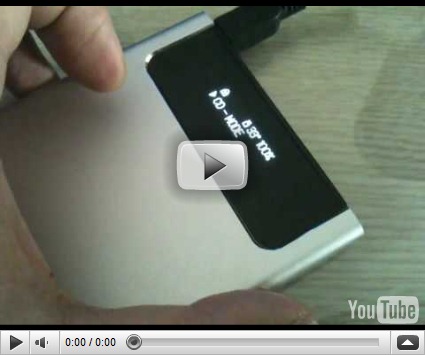
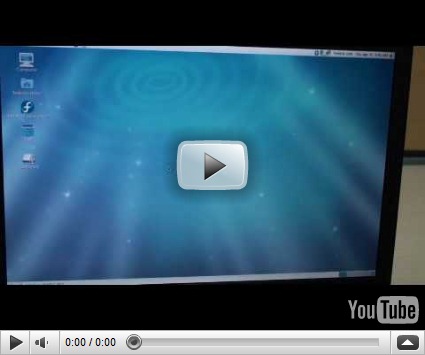
iodd in hdd mode


iodd cold-booting a Fedora 9 LiveCD ISO


iodd in video disk (ISO) emulation mode


Where do I get one?

TinyApps secured his from LinITX.com, but they appear to be out of stock at the current time.  I’m confident with some Google or Bing work you can track down a source. 

A forum source linked to I-Odd USA as the company’s US web-presence location, but it doesn’t seem to be linked from the mothership web page, so I cannot (for now) certify it’s authenticity but it seems legit at this point.  Use your web-spidey-sense accordingly.

Currently listed at the time of this post at $70 USD there.

Where do I begin with ISO’s to load on it?

Here is a lineup of the ISO’s I’m loading on mine, each in various grouping of need.

I’m obviously not including installation/setup disks, but examples might include Windows OS installation media, MS Office setup disks, various programs requiring installation from optical media, etc.

Look over them closely and come back often, I was surprised to see that many have newer release versions!

All are free, unless specifically noted.

System Administration/Support Distros

All of these are tools I keep at hand for response to troubleshooting/stress-testing/repair-response to Windows systems.

  • pgpwde injected PE 3.0 Boot disk – A GSD Blog special of course!  How could I not list it first?!!!
  • GParted Live on USB – partition manager
  • Parted Magic – partition manager
  • MHDD – partition manager and drive health tool
  • Memtest86 – memory tester
  • Memtest86+ – memory tester
  • Clonezilla – drive cloning tool
  • KON-BOOT - ULTIMATE WINDOWS/LINUX HACKING UTILITY :-) - bypass Windows GINA’s
  • Offline NT Password & Registry Editor – blank out local Windows account profiles (newly updated!)
  • Trinity Rescue Kit | CPR for your computer – Rescue and response distro
  • SystemRescueCd – Rescue and response distro
  • Ultimate Boot CD – Rescue and response distro
  • UBCD for Windows – Rescue and response distro
  • Inquisitor – System burn-in distro
  • Phoronix Test Suite - PTS Desktop Live  – Rescue and response distro (more info here).
  • Dell Diagnostic Boot CD's (Drivers & Downloads) – find and download ISO appropriate to your Dell systems…if you have any.
  • grml.org - Linux Live system/CD for sysadmins and texttools-users – Rescue and response distro
  • Windows Vista Recovery Disc Download — The NeoSmart Files – For Windows users
  • Download Windows 7 System Recovery Discs — The NeoSmart Files – For Windows users
  • BootZilla  – Rescue and response distro

Another option? Slap a WinPE build with ImageX present, then use the other larger partition (NTFS) to acquire and apply ImageX WIM files of system images (you could do the same with Clonezilla as well)…heck!  Do both!  The iodd device makes it possible.

Forensics Distros

Couple that fact that the iodd can be set up with multiple partitions and can (in theory) support just about as large as a 2.5” SATA drive as you can cram into it, and that it has a hardware-based write/block switch to prevent accidental/malicious write-back to the device, the iodd might make a great forensic distro boot launcher and image file collection system.  OORAH!

  • CAINE Live CD – One of my favorites along with the next one below….
  • DEFT Linux - Computer Forensics live cd – (now at version 5.1)
  • Windows Forensic Environment – WinFE based on WinPE builds.
  • Raptor 2.0 – Available in Intel (Windows) and PowerPC (Mac) supporting versions.
  • HelixCE – A CommunityEdition (CE) of Helix.  Under development right now.
  • The Sleuth Kit (TSK) & Autopsy: Open Source Digital Investigation Tools – updated as of July 2010.
  • Even more Distros can be found under the Tools - Forensics Wiki link.

And I’ve not mentioned the many commercial distros as well such as ForensicSoft, Inc’s SAFE (System Acquisition Forensic Environment) tool also based on WinPE.

Security/Pen-Testing Distros

  • BackTrack Linux - Penetration Testing Distribution– the venerable pen-testing distro
  • Matriux - The Open Source Security Distribution for Ethical Hackers and Penetration Testers
  • The OSWA-Assistant(tm) - a freely downloadable standalone wireless auditing toolkit for both IT-professionals and End-Users alike
  • Sumo Linux – multi-distro version consisting of Backtrack, Darik’s Boot-n-Nuke (DBAN), Damn Vulnerable Linux (DVL), Helix 2.0 (the last “free” version") before it went commercial, Samurai Linux, and Memory Test.  Sweet!
  • Katana  -- via Hack From A Cave – version 1.5 released Feb 2010.  Another multi-distro version containing: Backtrack 4, the Ultimate Boot CD, Ultimate Boot CD for Windows, Ophcrack Live, Puppy Linux, Kaspersky Live, Trinity Rescue Kit, Clonezilla, Derik's Boot and Nuke. With the iodd, you may not need it!
  • Ophcrack – ISO’s for XP and Vista/Win7 available.  Latest versions are 3.3.1.

Desktop Replacement Distros

Sometimes it’s handy to have a “LiveCD” bootable OS environment that isn’t based on the local HDD.  Very good if you’ve got a particularly dead system at hand.  These are my all-time favorites…

  • PCLinuxOS
  • SAM Linux Desktop
  • SimplyMEPIS
  • KNOPPIX

Converting Disk media to ISO files

Of course, sometimes you can’t just grab an ISO out of the box; you have to make one from, say, your setup installation media disks.

Assuming there isn’t any copy-protection preventing it, almost any of these great free utilites could be used to rip your optical media disk(s) to ISO format.

Don’t forget the FAT32 file size limit of appx 4GB still stand and you may have to use a File Splitter (Windows) offered by iodd or any other so long as you stick with the proper file-splitting naming convention it expects.

That said, I’ve had good luck with these.

  • LC ISO Creator – tiny standalone executable for ripping media to ISO format via Lucersoft
  • CD DVD to ISO 1.0 – burning Software from Dirk Paehl
  • CDDVD COPY 1.5 – burning Software from Dirk Paehl
  • AmoK CD/DVD Burning 1.10 – portable and more full-featured tool
  • ImgBurn – What more do you need?
  • Burn, baby, Burn! – GSD Blog post with a few more optical-media ripping options for the curious.

Final Thoughts

While the iodd won’t replace my 32 GB custom WinPE bootable flash stick as my primary Windows support weapon, it has just rendered the piles of CD/DVD boot media I carry obsolete in one fell swoop.

Special thanks again to TinyApps bloggist Miles for making this journey possible!

And in the immortal words of a young neighborhood kid just down the street from your average superhero family…after looking into the capabilities of the iodd….I only have this to say…

Totally Valca Recommeded!

Cheers!

--Claus V.

Read More
Posted in boot-cd's, forensics, hardware, Linux, utilities, Win FE, Win PE, Win RE | No comments

Saturday, July 10, 2010

Micro-Linkfest

Posted on 10:59 AM by Unknown

The last two tropical storms in the Gulf of Mexico have done a real number on us.  Despite going into the northern costal part of Mexico, they kicked up enough moisture in the atmosphere to drench us here in the metro-Houston area with considerable wetness.

The end-result are pockets of water that have now bloomed with mosquitoes.  This morning I sprayed the entire outside entryway door area with repellant to keep the buggers from hitching a ride inside when the door is opened/closed.  So far it seems to be holding.

This is a light post as most of the week has been spent playing with and configuring a new toy system support tool that came in Monday from Hawaii courtesy of TinyApps.Org.  So that post will be the doozie.

Snack on these in the meantime…

  • Posterous can now import from Blogger: let the exodus begin!
  • Unlocker – (freeware) – Now supporting x64 Windows.  Not “standalone/portable” but still a strong tool.  Note reviews below and that the installer now comes with the <insert sarcasm> added support for toolbar and eBay shortcut installations as well.  These can be opted-out. Reviews and more feedback below
    • Unlocker Deletes Locked Files, Now Works for 64-bit Windows – Lifehacker
    • Unlocker now removes stubborn files on 64-bit Windows – Download Squad
    • Unlocker Gets 64-bit Support, Adds Sucky Installation – ghacks
  • Work under way to add sidebars to Google Chrome – Download Squad.  I’m really hoping this gets delivered soon.  I really would use Chrome much more if I could leave my extensive bookmarks open in sidebar while browsing like I can do in Firefox.
  • Installing Windows Virtual PC on Windows 7 Home Editions - Virtual PC Guy’s WebLog.  Ben Armstrong (maybe) clears up some mis-information by Microsoft regarding XP-Mode and Virtual PC on Windows 7.  Windows 7 Home edition does allow for installation of Windows Virtual PC (not just the older Virtual PC 2007 version).  Windows 7 Home edition will not allow you to run Windows XP Mode “out of the box” with a download of a pre-configured/activated XP VM that users of Windows Ultimate/Professional/Enterprise can get.  However, if you do have a spare XP CD/license laying around, you can then load it in a new VHD, and then get all the features of XP Mode yourself. Oh. Thanks for the confusion Microsoft.  Per Ben..
  • To clarify – “Windows Virtual PC” is the virtualization program that allows you to create and run virtual machines on Windows 7.  “Windows XP Mode” is a free pre-configured Windows XP virtual machine.  “Windows XP Mode” is not available for people running Windows 7 Home editions; but these users can download Windows Virtual PC and use a separate (fully licensed) copy of Windows XP to create their own Windows XP virtual machines and get all the functionality of Windows XP Mode.

    You can download Windows Virtual PC directly from here: http://www.microsoft.com/downloads/details.aspx?FamilyID=2B6D5C18-1441-47EA-8309-2545B08E11DD

  • URLStringGrabber - Grab URL strings of Web sites from Internet Explorer – (freeware) – NirSoft.  Nir has a brand-new utility that will scrape all opened URL references out of open Internet Explorer (only) sessions.  You can then export some/all of the URL’s for later analysis in a application that supports text, csv, html, or xml file formats.  Might be a handy tool to document/log/analyze the linked content on web-pages during a malware study.

Cheers.

--Claus V.

Read More
Posted in Chrome/Chromium, Link Fest, utilities, Virtual PC, Windows 7 | No comments

D-Link DIR-655 Updates

Posted on 10:25 AM by Unknown

I noted in last week’s post while looking at the TonidoPlug Linux Home Server, NAS review by Paul Stamatiou.com that I never ended up falling in love with the D-Link DIR-655’s SharePort feature that came with that wireless router. 

I had originally planned to hook up a big USB drive for some NAS action but it just was too clunky for my taste at the time the router was originally deployed. 

While working on that post element, I dropped over to the D-Link product page for the D-Link Xtreme N Gigabit Router (DIR-655) and found that they had released updated drivers as well as SharePort application software.  (Look under “Support Resources” then “Additional Downloads” or “Firmware”.)

Updating router/switch firmware can be easy-quick or bad-difficult.  Typically I don’t bother if all is running well.  However, since it is used as a wireless access point for our home systems, it would be poor security to not ensure the router is fully updated/patched.

So this morning I decided to pull the pin.

Firmware First

Note: firmware upgrade done from my system that was hard-wire connected to the router, NOT over the Wi-Fi link!

I was running firmware version 1.21 back from 11/2008.  As of this post, the current firmware version is 1.34NA from 05/2010.

I logged into the router and used the internal tool to check for newer firmware updates but it said my 1.21 version was the newest.  Liar.

I downloaded and unzipped the newest firmware version to my hard-drive.

I then proceeded to obey the interface warning “Note: Some firmware upgrades reset the configuration options to the factory defaults. Before performing an upgrade, be sure to save the current configuration from the Tools → System screen.” which I did, appending the default filename with today’s date.

Then I uploaded the previously unpacked firmware .bin file, it took just under a minute to upload.

Then the update was applied, which took another 30 seconds or so.

I got a “success” notice and the router was requested for reboot.  Done.

When I then re-logged into the router, I found it had, in fact, reset the configurations to the factory defaults, including the “blanked” Admin password.  I then quickly uploaded my backed-up config file and reset the router again. Done.

All the settings appeared to have been brought back in with no issues…except for the time/date which was off.  I told it to use my Windows system settings and all was well.

Whew.

Only later doing additional research on this post did I find reports of some users unable to do a 1.21 to 1.34 firmware jump, and that the saved configuration file settings didn’t work. So, YMMV.

D-Link does some funky javascript work, so it is very difficult to direct-link to any of the helpful pages. However you might find these few useful.

  • How do I upgrade my firmware on my DIR series router? – D-Link Support page
  • DIR-655 Emulator Selector – Familiarize yourself with the settings/options.  Appears to be set up for the 1.32NA firmware edition.
  • [Help Me] DIR-655, A2 >> 1.21 upgrade to 1.34NA ? - dslreports.com
  • DLink Router Stats and DLink Router Stats Update little app by Paul to parse the uptime logfiles from a DIR-655…clever.

SharePort Second

The PC SharePort Utility is now versioned at 3.0 with a 03/2010 release date.  I think the major part is that it has been set to delay launch for 15 seconds after Windows startup to allow the Windows Firewall to get started up and settled down before attempting to connect to the router.  Sounds like a good plan.

I’ve not really needed it yet, so I’ve not bothered to install it on my Win7 system yet.  I’m probably going to decommission our aging SFF desktop system and use the 500GB drive in it with an external USB-based drive enclosure I have.  Then maybe I will hook it up and use it as a backup/archive source via SharePort.  Not sure.

The updated documentation PDF for SharePort also available from the download page seems to say nothing about Windows 7 compatibility, much less x64 flavor support.  However, there were a number of forum posts that seemed to indicate no Win7 x64 compatibility issues existed and others had got it working.

  • D-Link SharePort Update - Tech Gremlin
  • Shareport 1.10 issues for firmware 1.31 – (Google cache) – D-Link Forums
  • Windows 7 and shareport utility – (Google cache) – D-Link Forums
  • Shareport problem on DIR-655 - dslreports.com

When I finally do so, I will post an update.

Cheers.

--Claus V.

Read More
Posted in hardware, networking | No comments

Sunday, July 4, 2010

Fourth of July Fireworks

Posted on 6:18 PM by Unknown

It’s always been a real joy going to the hometown Fourth of July gathering.   You know, driving around like a predatory shark, looking for a parking place, making the long-hike out to the commons and staking out that last bit of brown grass in the baking sun and coastal humidity, being assaulted by the hawkers of dime-store glow-in-the-dark bands, spinners, and glow-sticks. Slapping down mosquitoes. Listening to the kids whine as everyone awaits the fireworks.  Trudging into line to get a cool beverage and deep fried snackage.  Waiting more.  Finally the firework display; loud, booming, thumping, and all is forgotten under the rainbow of colors and acrid smell of black powder.  Awe.  Then it is over.  And in the drifting haze of post-lift-charge smoke, for just a moment, you stand with your family and a community on the town lawn, unified as a local body, within a beautiful union.  America the beautiful.

Then you hike back to where you probably think you parked the car, wait in the out-flow traffic for another thirty minutes, and go to bed tired, sweaty, and itchy from the grass and insects.

This year?  A Capitol Fourth Concert on PBS. High-Def and in the comfort of our own home.

It’s the “New” American way, baby!

Enjoy these 4th of July poppers….

  • TightVNC 2.0 Released – this new version has been re-coded from the ground up to specifically play nice with Windows 7 (32/64).  See the Download TightVNC and get yours flowing.  I’ve already done two upgrades this morning from the previous version.  Both were done on Win7 Ultimate systems (x64) and the installer put the new version right on top of the current one, retaining all the settings.  Sweet like southern mint tea on a hot summer day.
  • Free RDP manager – Royal TS – 4sysops swears in this intro that the free RDP manager Royal TS is worth checking out.  Compare to the previously mentioned Microsoft Download: Remote Desktop Connection Manager (RDCMan) as well as mRemote and 2X Client Portable.
  • Free Windows Error Reporting (WER) viewing tool – AppCrashView – 4sysops also reminds us of Nir Sofer’s handy AppCrashView freeware utility for troubleshooting.
  • Analyze application failures the easier way with Dependency Walker - Ask the Performance Team provides us another application crash analysis tool.
  • Case of the Unexplained 2010 – TechEd video presentation by Mark Russinovich is available to watch or download in four formats.  Always awesome and always educational in the elite ninja skills of Windows troubleshooting.  See also: Pushing the Limits of Windows and Windows 7 and Windows Server 2008R2 Kernel Changes presentations as well.
  • VideoCacheView is updated to work with downloaded temporary .flv (flash) files of Firefox 3.6.4 – Nir Softer shares some of the behind-the-scenes work on this latest version.  VideoCacheView can be used to find and review and save cached video files from browsing sessions.
  • Network Monitor 3.4 has Released! - Network Monitor – Microsoft has released the final build of Network Monitor, with updated parsers as well.  I’ve used the latest beta version for a while and enjoyed it.  So now go and grab the stable version.  Download: Microsoft Network Monitor 3.4
  • ImDisk Virtual Disk Driver -version 1.3.0 – another update released June 7th in this virtual disk driver for Windows systems.  This update now ships with a “…new registry setting DisallowedDriveLetters that can be used to specify drive letters not allowed to be used for ImDisk virtual disks. It should be a string value containing drive letters to disallow. The value should be created under the key HKLM\SYSTEM\CurrentControlSet\Services\ImDisk\Parameters.”   Olof Lagerkvist rocks.  It is my fav virtual disk driver/mounting app; for good reason.
  • Customize Task Manager colors with Task Manager Modder – Download Squad found a neat little utility to add some jump-n-jive to your task manager; Task Manager Modder.  You can change the colors at will, and then reset them as needed. I always just set Process Explorer to be my new default Task Manager, but some folks like the original.  now you can really make it your own.  ~ Windows XP SP3 x86 and Seven RTM 7600 x86/x64
  • Windows Live Essentials Wave 4 public beta is out – ArsTechnica review and Windows Live Essentials beta – Microsoft download source.  I’m using this new beta version to blog with right now.  It does follow the ubiquitous Windows Ribbon format now, but despite the fact it doesn’t seem as intuitive to use as the previous versions, the controls are much easier to get to, particularly for font and paragraph formatting. It’s got lots of little things I’m still discovering like the fact that if I copied a HTML link code and click the “Hyperlink” button, that copied code is automatically pasted into the correct field of the dialog box.
  • Review: $99 TonidoPlug Linux Home Server, NAS — PaulStamatiou.com.   I never ended up falling in love with my D-Link DIR-655 D-Link SharePort that came with that wireless router.  In my mind I would hook up a big USB drive for some NAS action but it just was too clunky for my taste.  I never bothered to see if they updated the drivers. (yep—firmware and application updates present in 2010…)  So Paul’s review of the $99 Tonido Plug NAS device was quite interesting. Though I wouldn’t use it for any of the Web applications (he wasn’t much impressed either) the support provided for storage to a USB-connected drive was pretty clever.  So for a no-frills way to deploy a cheap and simple NAS unit, it might be worth looking into.

Setting Dad up for Failure

Dad’s still running his spanking fast HP Pavilion a6000-series Vista system.  It’s been rock-solid for him since Fall 2007.  No issues at all.  He’s not quite interested in jumping up to Windows 7, but I think it is time to roll it over to Win7 x64.  So the planning begins.

In the meantime, little bro was up there and discovered (among other things) that Dad’s backup plan has been to manually copy particular files over to a bitty flash-drive from time to time.  Oh bother.

So he started to get System Backup set up for him, but discovered that the Vista version Dad has is a far and sad cry from that in his Windows 7 Ultimate edition.  So he punted and told Dad to pick up a USB external hard drive and give me a call.

I encouraged him to find a 1 TB Seagate drive that came with FreeAgent for a OEM solution.  I use that on my work laptop and it is nice to not worry about.  So this might be an out of the box solution.  He did come home with a 1 TB something USB, but I’m not clear on the brand yet.

So we then got talking about different backup solutions; he thought he wanted a full system backup solution based on what my brother runs.  That would be good.  I also discussed how that differed from scheduled file backups of particular folders containing critical user-data and whether a incremental or differential plan would be better.  His eyes began to glaze over quick.

So I think we will do both; a full system backup solution for system restore running on a weekly (?) schedule.  Then a file/folder incremental/differential backup solution on a every other day schedule.

I’m really that concerned about the system backup solution.  But the daily backups need to be saved in a format for easy per file/folder extraction and access rather than some proprietary archive format.  That will make it much easier to recover just what we need rather than depend on the same software to do the restoration lifting if we don’t want to.

Here’s what I’m considering for both solutions:

  • Paragon Backup & Recovery Free Edition – Really full featured in terms of looking like it could support both needs (system and files/folders).
  • Comodo Backup – Also seems to support both system and file/folder backup options.
  • Macrium Reflect FREE Edition – The Free edition seems the way to go only for system backups.  Good but not as many options.
  • EASEUS Todo Backup  -- Seems to be a system backup solution, but will let you mount the image file to explore/copy as needed files off.
  • Personal-Backup – This would be more for the specific file/folder (user data) backup needs.  I like the fact that the backups are placed in Zip files for easy access/extraction/restoration.  Lots of features.
  • Cobian Backup – Seems to be a perennial favorite with folks.  New version 10 is now out and supports Windows XP-7 in both x32/x64 flavors.
  • GFI Backup Home Edition – Nice home-user friendly wizards to set up backups, as well as restorations based on Zip formats even without the program being present.  Nice.  Program settings for various common apps are able to be easily backed up/restored.  Takes advantage of the Volume Shadow Copy Service to make backup of files still in use.
  • Sync & Backup Tools (freeware) – a few more offerings from an older GSD post.

And in all this musing, Download Squad found Redo Backup based on the xPud Linux Live distro: Redo Backup is a fast, easy way to image your hard drive.

Of course, that is system backup based on a drive imaging strategy, very similar but a bit different from what we are trying to get Dad set up with.  If that was the case we’d be probably looking at an all-week training session on drive imaging and cloning solutions and ImageX or Clonezilla with him.

We don’t need those kind of fireworks…

Fortunately for everyone involved, I think one or two of the previous strategies will more than suffice.

Happy 4th,

--Claus V.

Read More
Posted in family, hardware, Link Fest, networking, Remote Support, utilities | No comments
Newer Posts Older Posts Home
Subscribe to: Posts (Atom)

Popular Posts

  • New Year’s Day - First Post 2011
    Same day I came out with my first post after a long drought, I fell upon this article Blogging Seems To Have Peaked, Says Pew Report over a...
  • Finally! Time to Post! New material list
    After a recent text from my bro reminding me it has been since March since I’ve done a blog post, I was finally able to clear the schedule a...
  • Oscar watch Linkpost
    Alvis and Lavie are watching the Oscars tonight and I’m along for the ride. I wasn’t able to come even close to getting out some of the pos...
  • Ubuntu 13.10 Upgrade - Lessons Learned & VIDMA utility found
    A few weeks ago a new release of Ubuntu came out. Naturally that meant it was update time! I have been getting pretty good at this now so ...
  • iodd : Multi-boot madness!
    Like many computer technicians and responders, I seem to always have at hand a collection of bootable media; CD’s, DVD’s, USB-HDD’s, flash m...
  • Network Capture Tools and Utilities
    At a conference this week, we had quite a section regarding network captures. The instructor was going on about how you can try to sort ou...
  • Mostly Minor Network Notes
    Here are some minor tweaks and features, mostly of a network nature. Manual Uninstall of the Cisco VPN Client « Mobile Expertise -- becaus...
  • It just has to be bigger on the inside…
      Last Christmas, Lavie gifted me with a cute little Jawbone JAMBOX unit. I thought it was pretty cool. It uses a Bluetooth connection t...
  • Windows Live Mail error 0x80041161
    Dad is working with his father-in-law who has an issue with his Suddenlink web-mail-based “forwarding” handling of messages. Seems that (an...
  • FireCAT 1.5 “Plus” Add-On Collection
    In yesterday’s GSD post I noted the following: Both of these tools brought be back to the excellent FireCAT 1.5 collection of Firefox...

Categories

  • Active Directory
  • anti-virus software
  • Apple
  • architecture
  • art
  • AVG
  • Blogger
  • blogging
  • books
  • boot-cd's
  • browsers
  • cars
  • cell-phones
  • cheat sheets
  • Chrome/Chromium
  • command-line interface
  • cooking
  • crafts
  • crazy
  • curmudgeon
  • DHC
  • Dr. Who
  • E-P1
  • Education
  • family
  • Firefox
  • firewalls
  • For the Gentleman
  • forensics
  • Gmail
  • Google
  • graphics
  • hacks
  • hardware
  • humor
  • hurricanes
  • imagex
  • Internet Explorer
  • iOS
  • iPhone
  • iPod
  • iTunes
  • Kindle
  • Learning
  • Link Fest
  • Linux
  • malware tools
  • Microsoft
  • movies
  • music
  • networking
  • NewsFox
  • NFAT
  • Nook
  • Opera
  • organization
  • PDF's
  • photography
  • politics
  • PowerShell
  • recipes
  • Remote Support
  • RSS
  • science
  • Scripting
  • search engines
  • security
  • Shuttle SFF
  • software
  • Texana
  • Thunderbird
  • troubleshooting
  • TrueCrypt
  • tutorials
  • utilities
  • VBscript
  • video
  • Virtual PC
  • virtualization
  • viruses
  • Vista
  • Vista mods
  • wallpapers
  • Win FE
  • Win PE
  • Win RE
  • Windows 7
  • Windows 8
  • Windows Home Server
  • Windows Live Writer
  • Windows Phone
  • writing
  • XP
  • XP mods
  • Xplico

Blog Archive

  • ▼  2013 (83)
    • ▼  November (8)
      • Ubuntu 13.10 Upgrade - Lessons Learned & VIDMA uti...
      • ForSec Linkfest - 2013 DST Fallback Edition
      • CryptoLocker Ransomware Info & Free Prevention Sol...
      • Linkfest for the SysAdmins
      • Microsoft Security Essentials/Defender & PowerShell
      • Miscellaneous TrueCrypt linkage
      • PowerShell 4.0 and a tiny “gotcha”
      • New Software Updates + VMware Tools Update fix
    • ►  October (8)
    • ►  September (14)
    • ►  August (6)
    • ►  July (10)
    • ►  June (10)
    • ►  April (11)
    • ►  March (6)
    • ►  February (7)
    • ►  January (3)
  • ►  2012 (96)
    • ►  December (8)
    • ►  November (4)
    • ►  October (9)
    • ►  September (8)
    • ►  August (12)
    • ►  July (4)
    • ►  June (3)
    • ►  May (7)
    • ►  April (13)
    • ►  March (3)
    • ►  February (5)
    • ►  January (20)
  • ►  2011 (41)
    • ►  December (8)
    • ►  November (7)
    • ►  September (4)
    • ►  August (4)
    • ►  July (2)
    • ►  June (6)
    • ►  March (5)
    • ►  February (1)
    • ►  January (4)
  • ►  2010 (69)
    • ►  December (1)
    • ►  October (3)
    • ►  September (2)
    • ►  August (13)
    • ►  July (17)
    • ►  June (3)
    • ►  May (3)
    • ►  April (3)
    • ►  March (11)
    • ►  February (1)
    • ►  January (12)
  • ►  2009 (177)
    • ►  December (20)
    • ►  November (11)
    • ►  October (7)
    • ►  September (7)
    • ►  August (21)
    • ►  July (17)
    • ►  June (7)
    • ►  May (18)
    • ►  April (9)
    • ►  March (17)
    • ►  February (23)
    • ►  January (20)
  • ►  2008 (35)
    • ►  December (23)
    • ►  November (12)
Powered by Blogger.

About Me

Unknown
View my complete profile